Metric Conversions1.1
Publisher Description
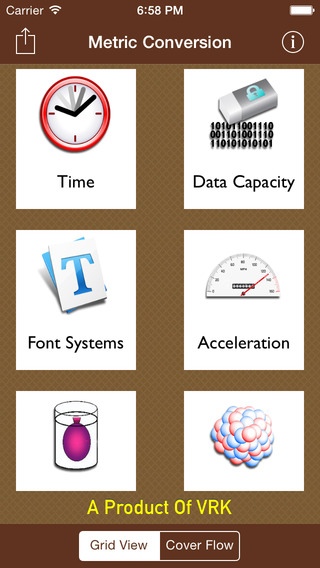
"Metric Conversions"
The metric system originated in France in 1799 following the French Revolution although decimal units had been used in many other countries and cultures previously. Although there have been many different measurements and the definitions of the units have been revised, the official system of measurements of most countries is the modern form of the metric system which is known as the "International System of Units".
This App aims to help you to convert units of measurement with metric, imperial, US and Atomic system and to better understand alternative measurements that you are unfamiliar with.
The measurement units are categorized into following 11 types each consist of some number of units;
- Temperature (8 Units).
- Weight (18 Units).
- Length (16 Units).
- Pressure (13 Units).
- Area (13 Units).
- Volume (26 Units).
- Speed (10 Units).
- Energy (16 Units).
- Time (16 Units).
- Data Capacity (21 Units).
- Font Systems (13 Units).
This app allows you to convert units of measure between various measurement systems .
You can easily translate meters to Nautical League, fahrenheit to Rankine, pascal to Psi,are to acre, ounce to Atomic Mass Unit, gallons to liters and much more....
Simply choose desired converter, select the two conversion units and
type your value. Our app will translate your datum to the other measurement systems automatically.
This app is very useful for those people who required the conversions recursively; i.e X -> Y and Y -> Z.
Also, app is useful for students, scientist and businessmen.
Enjoy this App.
Requires iOS 7.0 or later. Compatible with iPhone, iPad, and iPod touch.
About Metric Conversions
The company that develops Metric Conversions is Vaibhav Kavathekar. The latest version released by its developer is 1.1.
To install Metric Conversions on your iOS device, just click the green Continue To App button above to start the installation process. The app is listed on our website since 2013-07-30 and was downloaded 5 times. We have already checked if the download link is safe, however for your own protection we recommend that you scan the downloaded app with your antivirus. Your antivirus may detect the Metric Conversions as malware if the download link is broken.
How to install Metric Conversions on your iOS device:
- Click on the Continue To App button on our website. This will redirect you to the App Store.
- Once the Metric Conversions is shown in the iTunes listing of your iOS device, you can start its download and installation. Tap on the GET button to the right of the app to start downloading it.
- If you are not logged-in the iOS appstore app, you'll be prompted for your your Apple ID and/or password.
- After Metric Conversions is downloaded, you'll see an INSTALL button to the right. Tap on it to start the actual installation of the iOS app.
- Once installation is finished you can tap on the OPEN button to start it. Its icon will also be added to your device home screen.
